What Is a Computer Network? A Beginner's Guide
Learn what a computer network is, how devices talk to each other, and the key hardware and concepts every developer should know.
A computer network is a group of devices connected so they can share data and resources. Every time you open a website, send a message or call an API, your data travels across one or more networks.
Why networks exist#
Before networks, moving data meant copying it onto a disk and physically carrying it. Networks let devices exchange information instantly, which enables:
- Resource sharing – printers, storage and internet connections shared by many users.
- Communication – email, chat, video calls.
- Centralized services – databases, web apps and cloud platforms that many clients use at once.
- Reliability – data can be replicated across machines so one failure doesn't lose everything.
How data moves through a network#
Let's follow a request from your laptop to a web server:
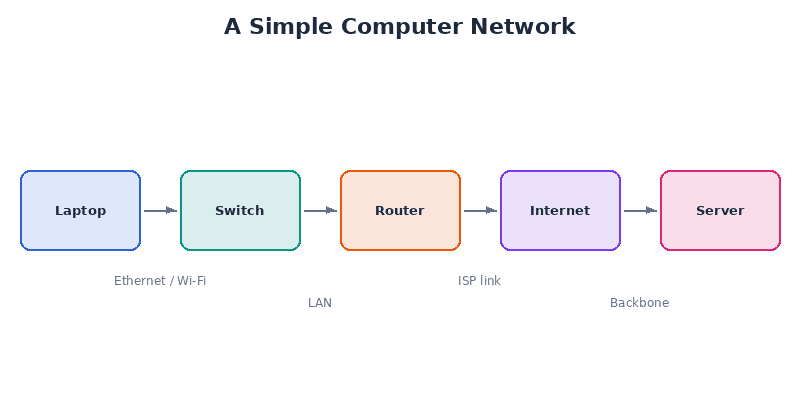
- Your laptop sends data through its network card over Wi-Fi or an Ethernet cable.
- A switch (often built into your home router) forwards it inside your local network.
- The router decides where the data should go next and sends it to your ISP.
- The internet – a huge mesh of routers – carries it hop by hop.
- The server receives the request and sends a response back the same way.
Data doesn't travel as one big blob. It's broken into small chunks called packets, each carrying source and destination addresses so it can be routed independently and reassembled at the other end.
Key components of a network#
Hardware#
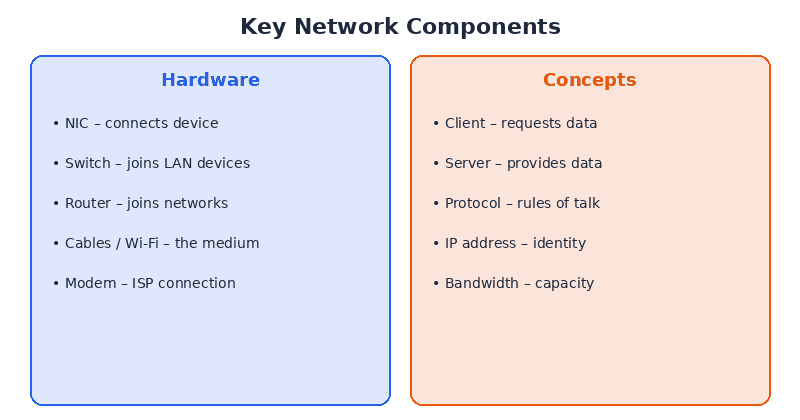
- NIC (Network Interface Card) – the hardware that connects a device to the network, wired or wireless.
- Switch – connects devices within the same local network and forwards data only to the right port.
- Router – connects different networks together and chooses paths between them.
- Transmission medium – copper cables, fiber optics or radio waves (Wi-Fi).
- Modem / ONT – converts signals between your home network and your ISP's line.
Concepts#
- Client and server – clients request data, servers provide it.
- Protocol – an agreed set of rules for communication, like TCP, IP and HTTP.
- IP address – a unique address that identifies a device on a network.
- Bandwidth – how much data a link can carry per second.
- Latency – how long data takes to travel from one point to another.
Bandwidth and latency are different. A high-bandwidth link can still feel slow if latency is high – think of a wide highway that is very long.
Client–server vs peer-to-peer#
| Model | How it works | Examples |
|---|---|---|
| Client–server | Central servers serve many clients | Websites, email, banking apps |
| Peer-to-peer (P2P) | Every device can act as client and server | BitTorrent, some video-call paths |
Try it yourself#
You can see networking in action from your terminal:
# Check if a host is reachable and measure latency
ping google.com

# See the routers your packets pass through
traceroute google.com   # tracert on Windows

# Show your device's IP address
ip addr                 # ipconfig on Windows
Key takeaways#
- A computer network connects devices so they can share data and resources.
- Data travels in small packets that are routed independently.
- Switches connect devices inside a network; routers connect networks together.
- Protocols are the rules that make communication possible.
- Bandwidth is capacity; latency is delay.