Load Balancers and CDNs: Scaling and Speeding Up the Web
Learn how load balancers spread traffic across servers (L4 vs L7, algorithms, health checks) and how CDNs cache content at edge servers near users.

Once an application has more users than one server can handle – or users all over the world – two networking building blocks become essential: load balancers and CDNs (Content Delivery Networks).
Load balancers#
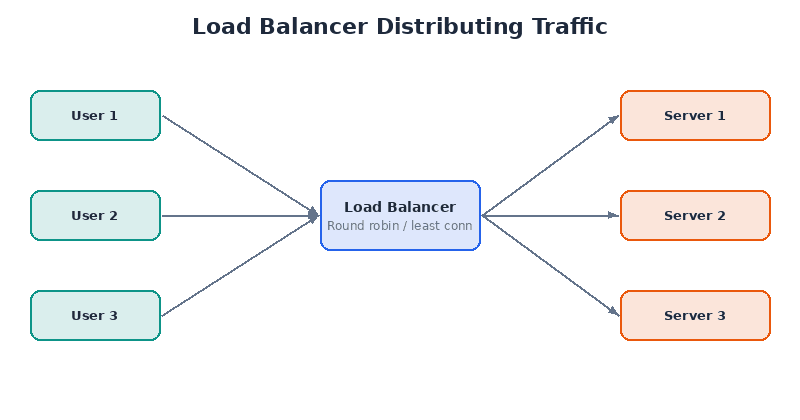
A load balancer sits in front of a group of servers and distributes incoming requests among them. Clients talk to one address (the load balancer); it decides which backend handles each request.
- Scalability – add more servers to handle more traffic.
- High availability – if a server fails, traffic goes to the healthy ones.
- Zero-downtime deploys – drain one server, update it, put it back.
Layer 4 vs Layer 7#
| Layer 4 (transport) | Layer 7 (application) | |
|---|---|---|
| Decides using | IP addresses and ports | HTTP host, path, headers, cookies |
| Speed | Very fast, low overhead | Slightly more work per request |
| Features | Simple TCP/UDP balancing | Path routing, TLS termination, rewrites, auth |
| Examples | AWS NLB, LVS, HAProxy (TCP mode) | AWS ALB, NGINX, Envoy, HAProxy (HTTP mode) |
Balancing algorithms#
- Round robin – each server in turn.
- Weighted round robin – bigger servers get more requests.
- Least connections – send to the server with the fewest active connections.
- IP hash / consistent hashing – the same client tends to hit the same server.
Health checks and sessions#
Load balancers regularly probe each backend (for example GET /health) and stop sending traffic to any that fail. If your app stores sessions in server memory, you may need sticky sessions – but a better design keeps servers stateless and stores sessions in Redis or a database.
upstream app_servers {
    least_conn;
    server 10.0.1.10:8080;
    server 10.0.1.11:8080;
    server 10.0.1.12:8080 backup;
}

server {
    listen 443 ssl;
    location / {
        proxy_pass http://app_servers;
    }
}
CDNs: content closer to users#
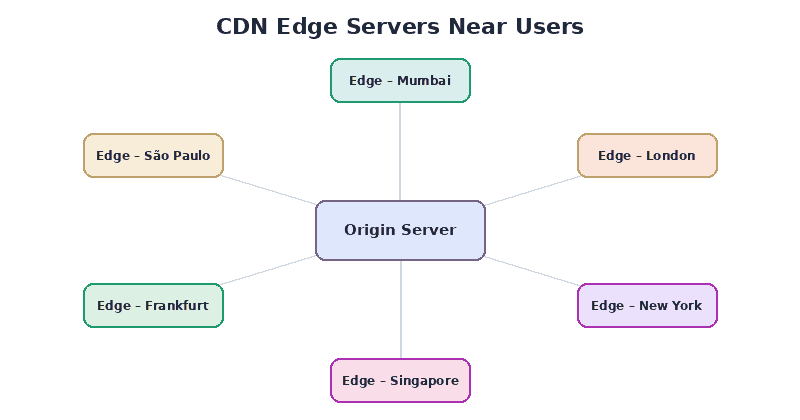
A CDN is a global network of edge servers (points of presence) that cache your content close to users. A visitor in Mumbai downloads images from a Mumbai edge instead of crossing the world to your origin server in the US.
How a CDN request works#
- DNS (often using anycast or geo-routing) sends the user to the nearest edge.
- If the edge has a fresh copy in cache – a cache hit – it responds immediately.
- On a cache miss, the edge fetches from the origin, stores it, and serves it.
- Cache lifetime is controlled by HTTP headers like
Cache-Control: max-age=86400.
Benefits#
- Lower latency – shorter physical distance means faster page loads.
- Less origin load – most requests never reach your servers.
- DDoS protection – a huge distributed network absorbs attack traffic.
- Extras – TLS at the edge, image optimisation, WAF rules, edge functions.
Put a version hash in static file names (e.g. app.3f9a1c.js) and cache them for a year. When the file changes, its name changes too, so you never need to purge the CDN cache.
Using them together#
A typical modern stack looks like: User → CDN edge → Layer 7 load balancer → app servers → database. The CDN handles static and cacheable content worldwide; the load balancer spreads dynamic requests across your application servers.
Key takeaways#
- Load balancers spread traffic across servers for scale and availability.
- Layer 4 balances on IP/port; Layer 7 understands HTTP.
- Health checks remove failed servers automatically.
- CDNs cache content at edge servers near users, cutting latency and origin load.